Logic Lock, Our First Shipped Product
Living Logical has produced Logic Lock! It is the productization of how we have been managing our secrets for years. It is exclusively available for free on the Apple Store here. We are currently working on improvements and will have a PRO version available with some really nice feature additions to the free version. You can see more details about Logic Lock here.
How did Logic Lock come to be? It is the culmination of the constant need to protect our online accounts. Early on, having only a few accounts such as your email and checking account and creating two strong passwords that you can remember isn’t that difficult. However, over the years, the number of accounts we all have steadily increases; like your work email, Facebook, mortgage or rental facility, Amazon, etc. Each of these should have their own unique strong passwords. You do have unique strong passwords for these, right?
If you answered no, it is probably because you recognize the difficulty in creating memorable strong passwords for every account. What is a strong password anyway? A strong password is one that has a sufficient length and with a combination of upper and lower case characters, numbers and symbols. Some would argue that these rules are arbitrary, but we disagree because these rules make dictionary attacks on your password harder. There are plenty of details on password security and why length, strength, and uniqueness matter. I won’t go into those details here.
Even if you answered yes, that you do have unique strong passwords for all of your accounts, you might not also be secure in how your store your passwords. Having strong unique passwords is a great first step. How you manage them is also important. Writing them down in a notebook or in in a spreadsheet in a location that is not equally secured is a fail. You wouldn’t leave your wallet in the middle of Times Square or children in a lion’s den. You know the obvious would happen.
How is Logic Lock Unique?
There are several password managers available in the market. Many are free and others charge subscriptions for their service. While their algorithms are proprietary, it is our understanding that most of these competitor products store your secrets. Albeit, they store them encrypted, however if the data store or device is compromised, then so are ALL of your secrets.
We created a way using one (or more, if you want) master secret and metadata to derive unique strong passwords. We never store your master secret(s). We store only the metadata about the account, like display name, username and server. You only need to remember and provide the master secret to derive your uniquely generated passwords. All of the computation occurs on your device and never is sent across the internet. The metadata is encrypted on your device using platform encryption technologies and you may choose whether it is synced to iCloud. While protecting the metadata is important, deriving your passwords without your master secret is nearly impossible. Furthermore, as you can have multiple master secrets, having one compromised password will not invalidate the integrity of the other passwords. If you have a compromised password, rotating any of your passwords using Logic Lock is quick and easy. Rotations can occur independently on each account and as often as you would like.
Here is an example services list with a few account entries that I have entered and given categories.
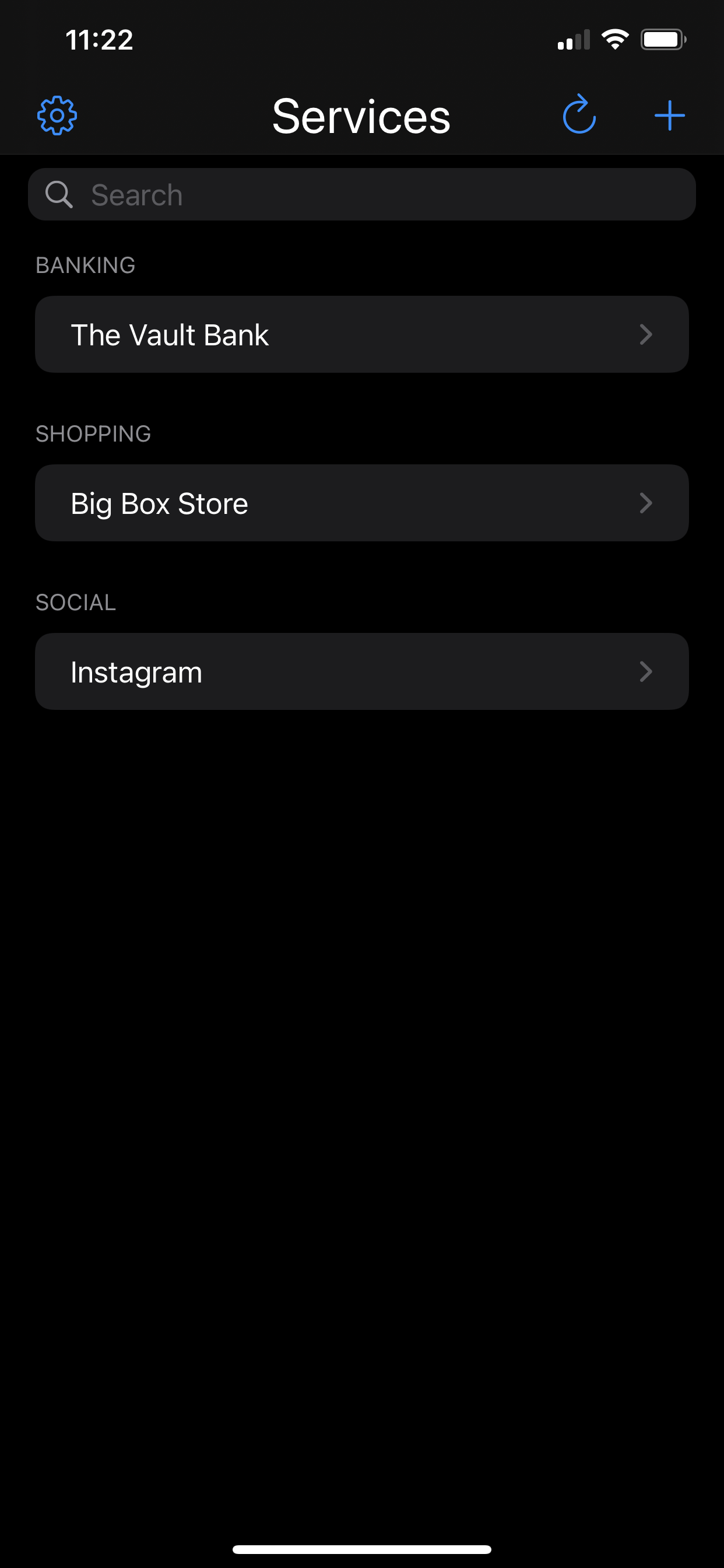
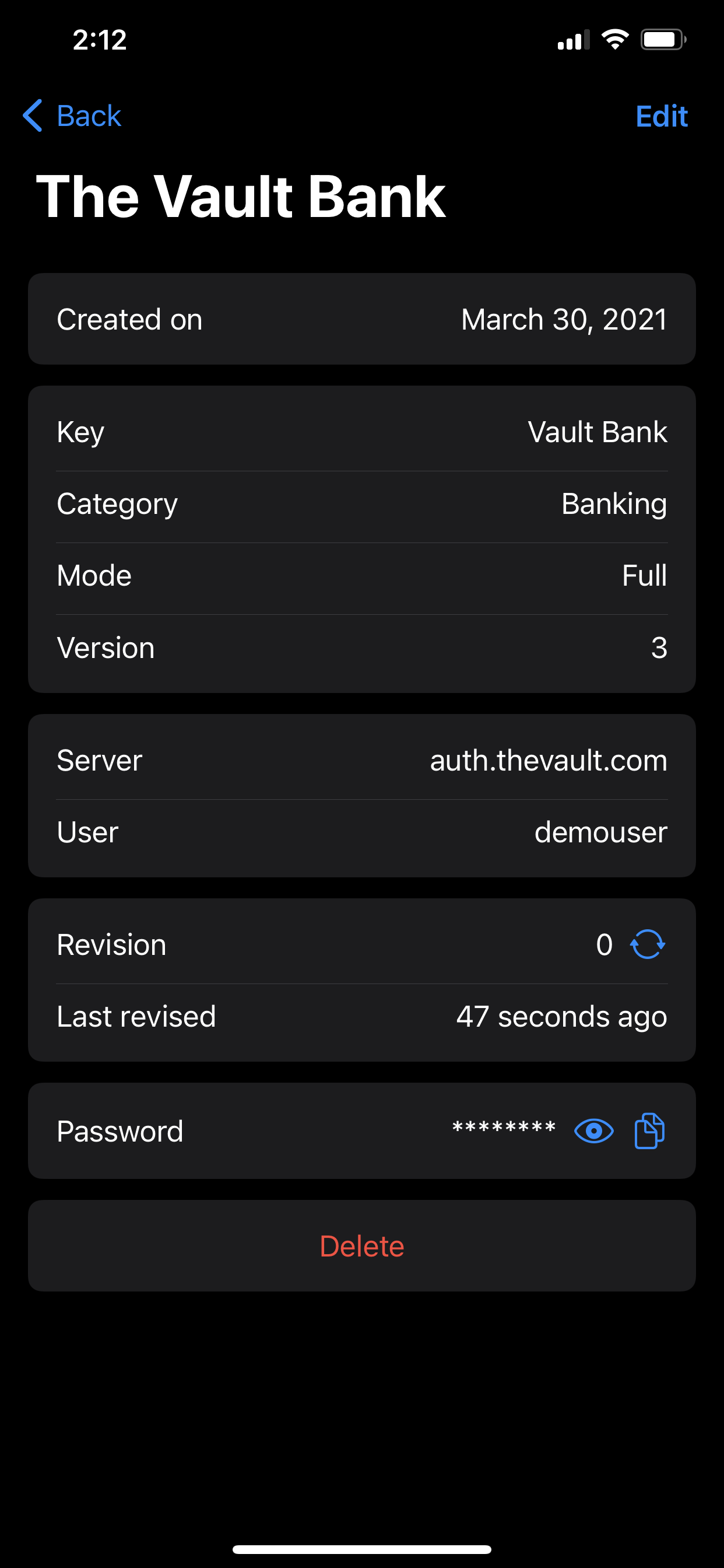
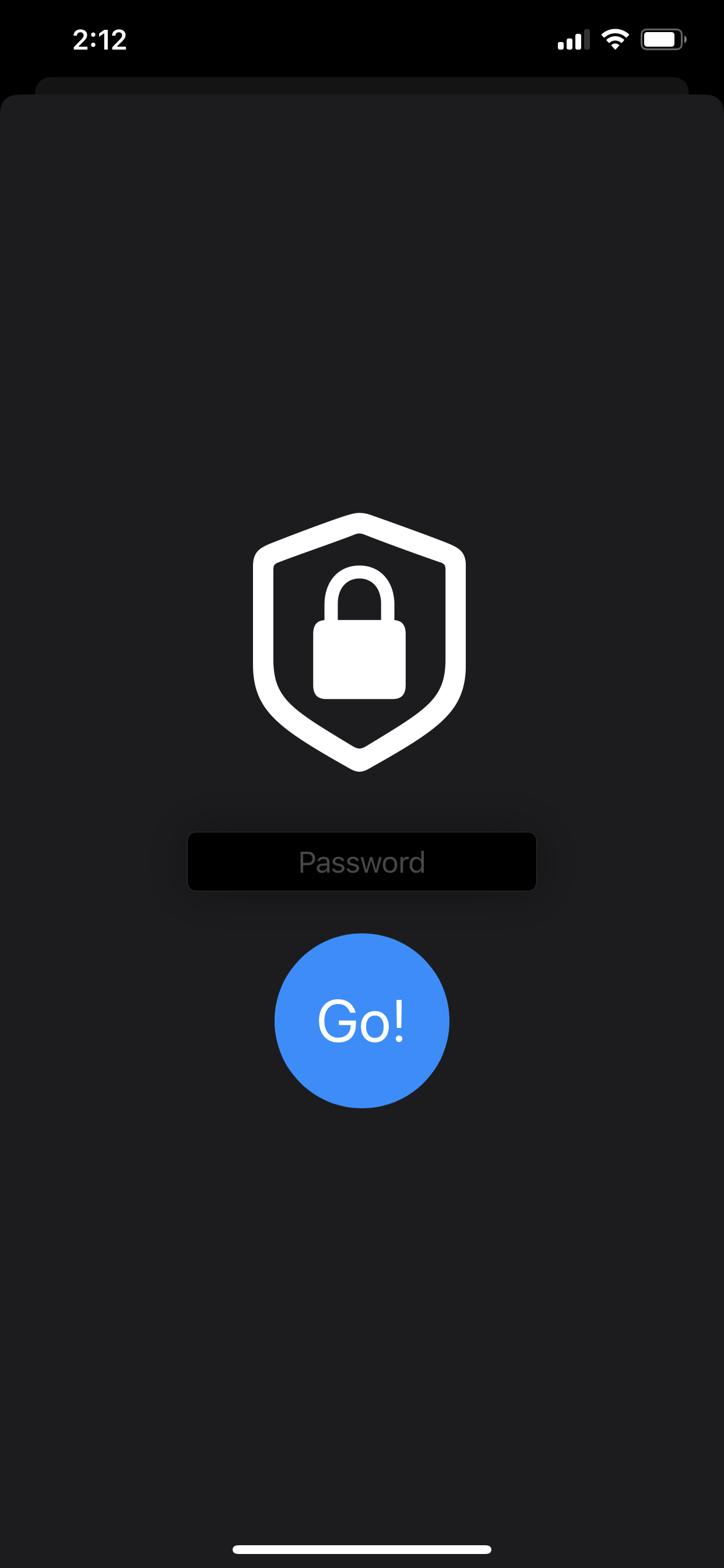
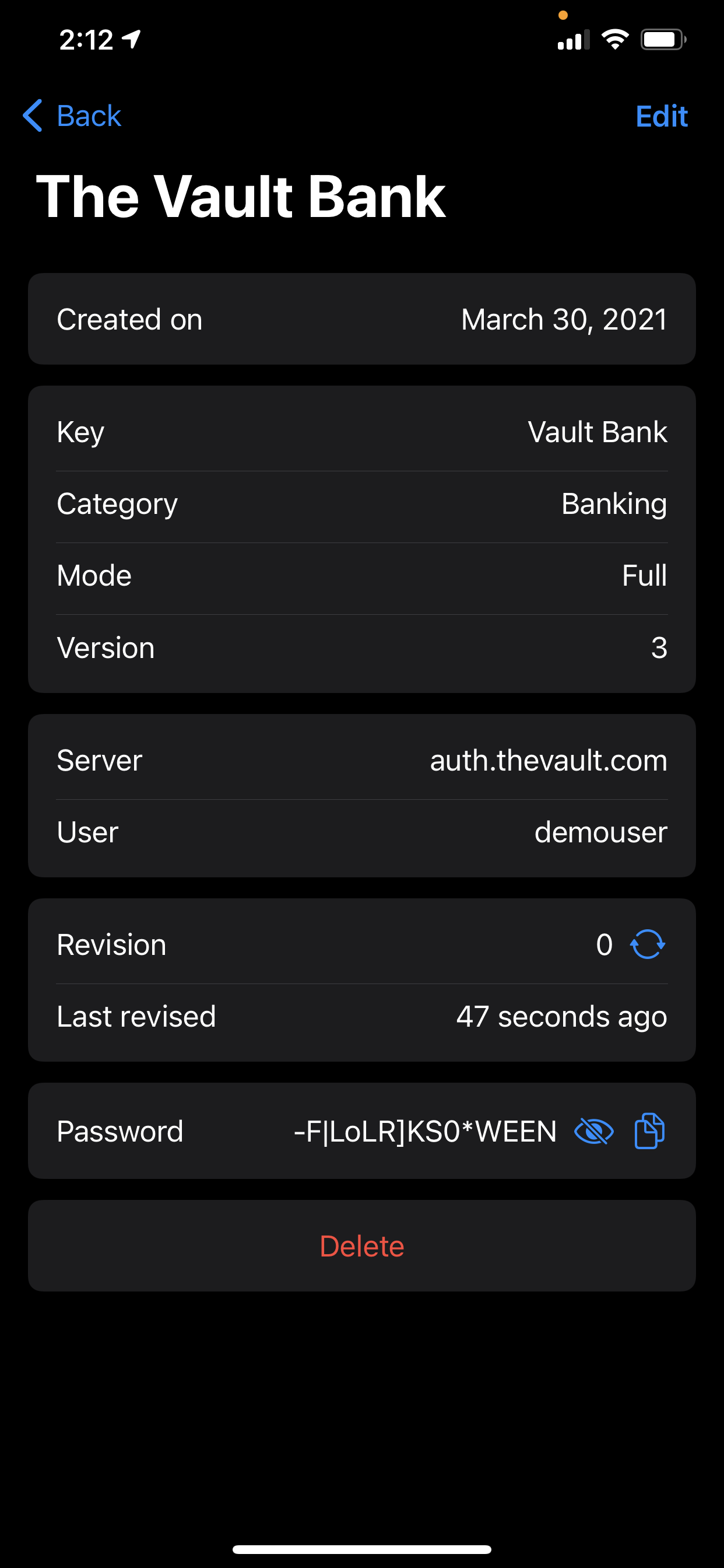
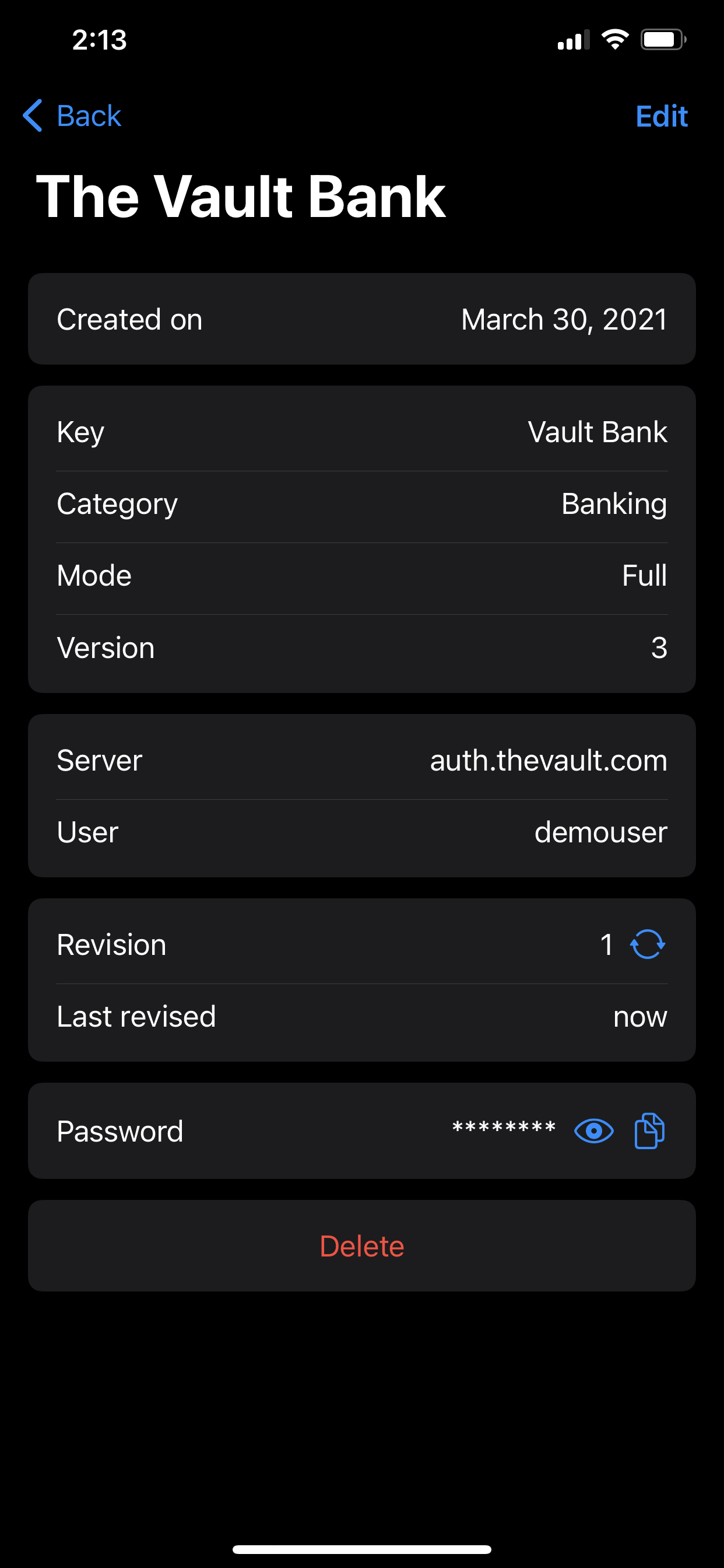
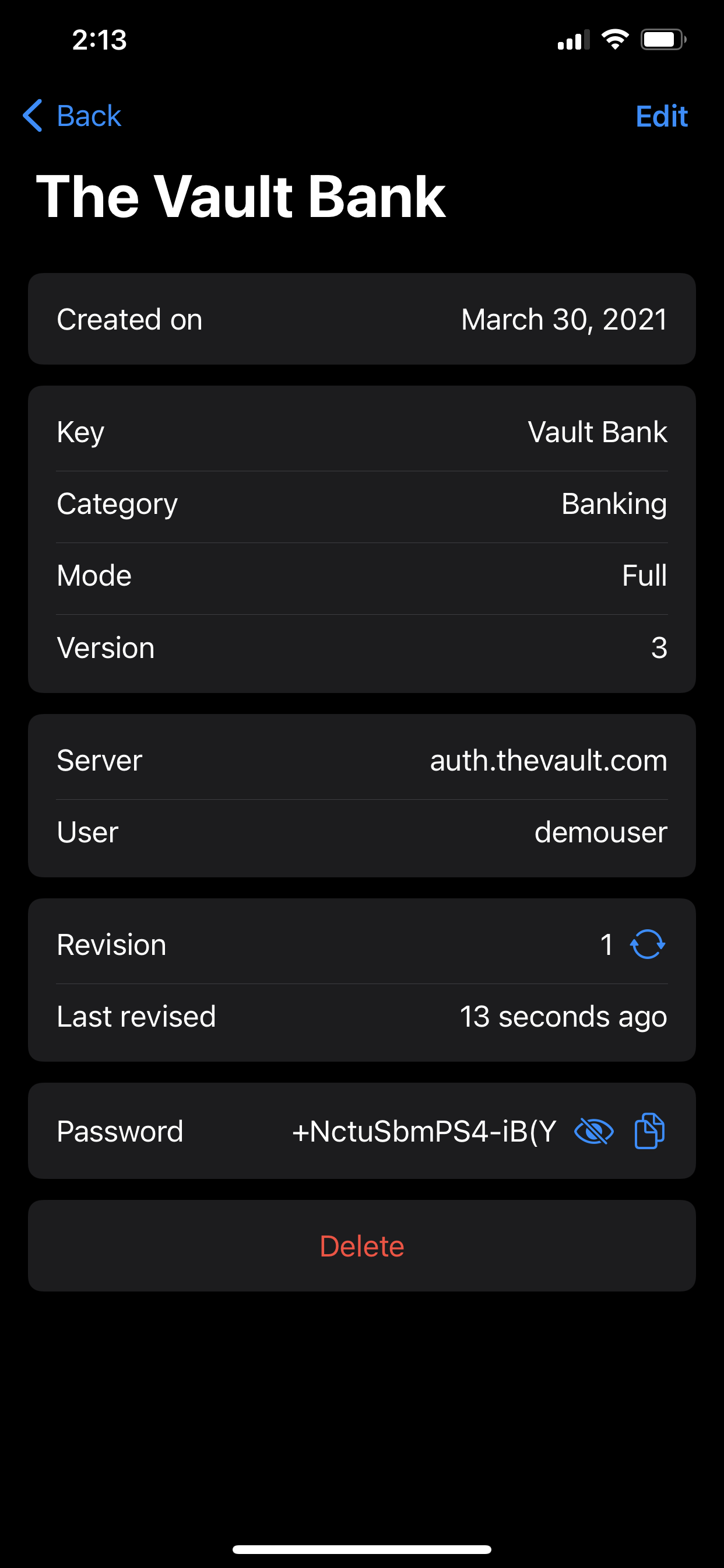
Any account’s metadata details can be viewed. This will include the details such as when the entry was last modified and the current revision number. View the password or copy it to your clipboard by clicking the eye or copy icons. You will enter your master secret which will be used in combination with the metadata to derive your password. Remember, Logic Lock never stores any of your passwords. Therefore, each time you want to view or copy your secret you will need to enter your master secret.
As an example, here are the details for my fake The Vault Bank account. The password can be viewed by clicking the eye icon and entering the master password.
 ⇾
⇾  ⇾
⇾ 
In this view, you can also rotate a password. This will increase the revision number and last modified date and generate a new password.
 ⇾
⇾ 
And Browser Integration!
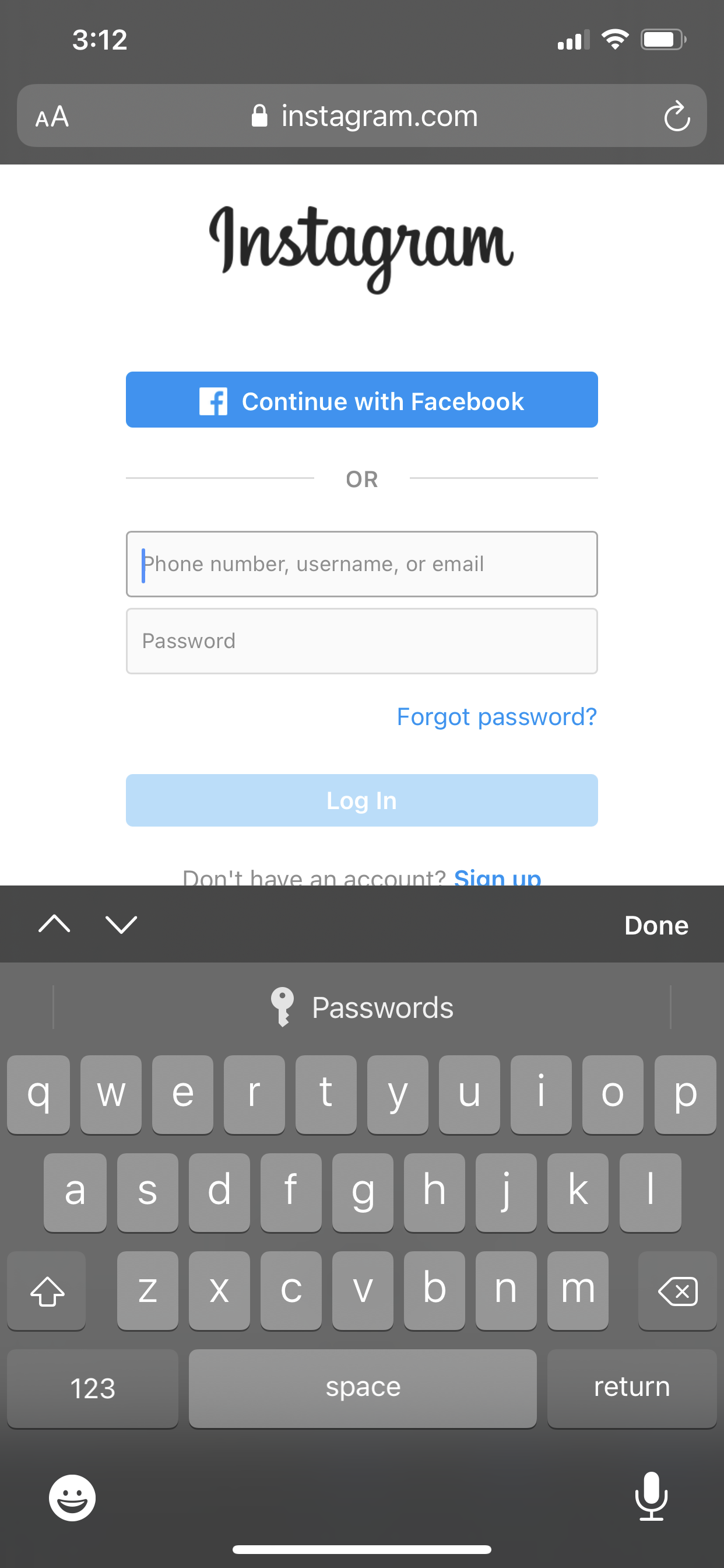
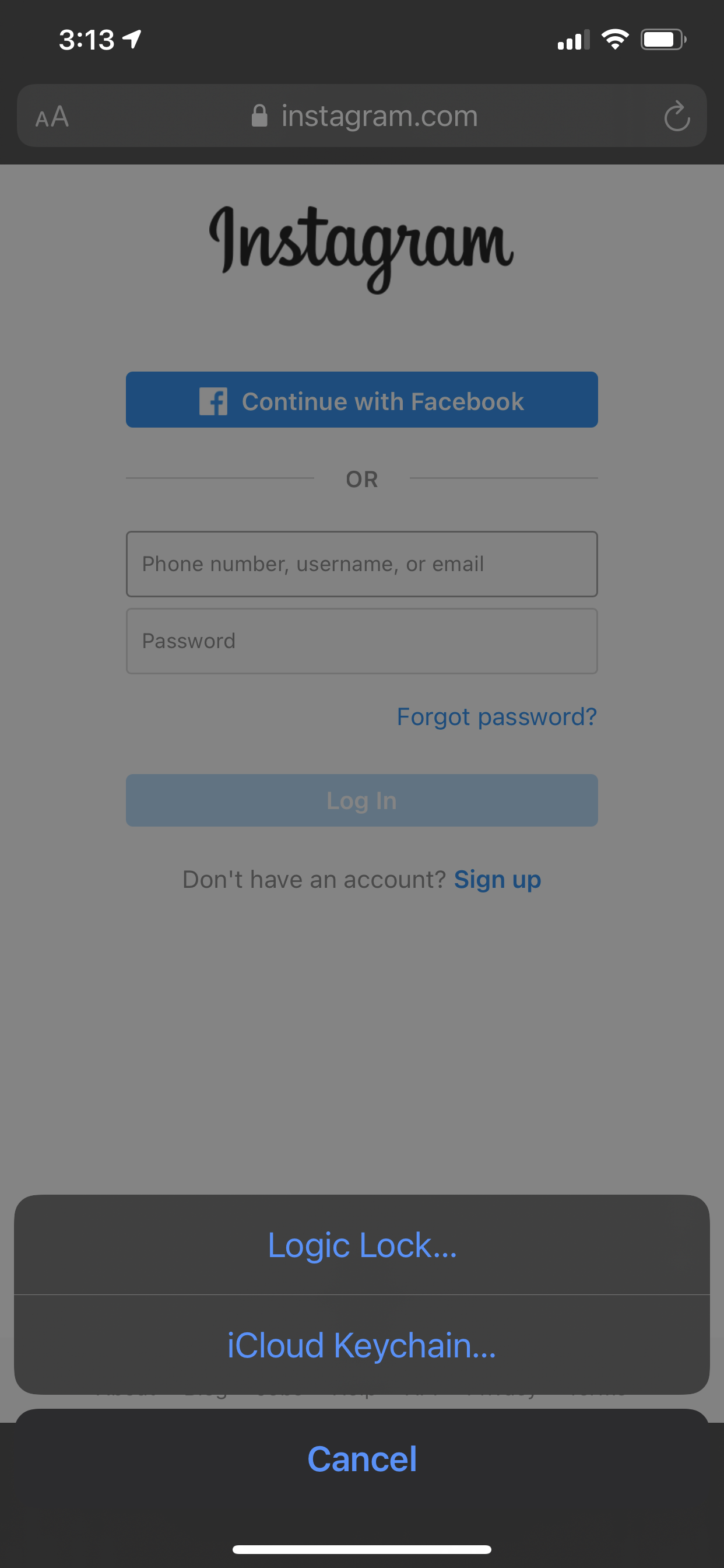
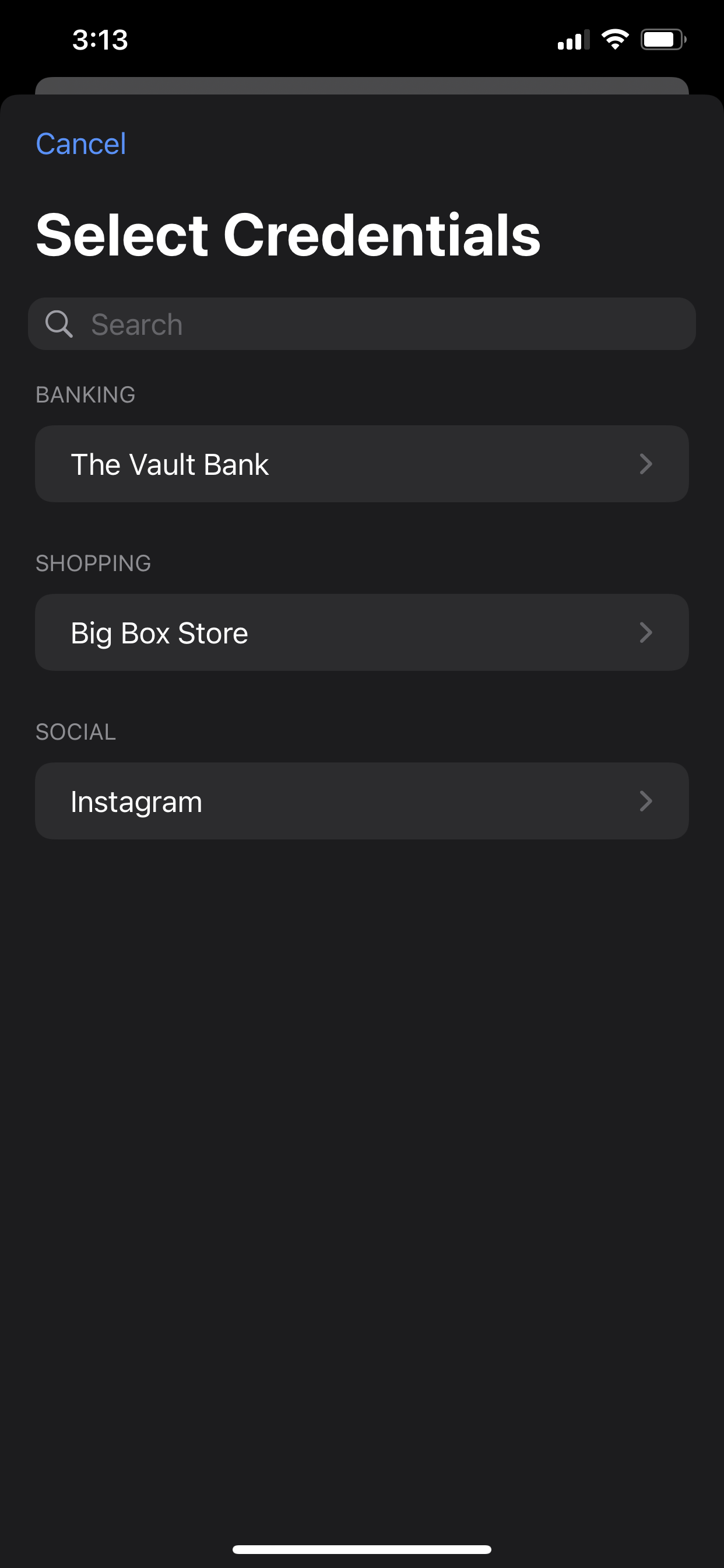
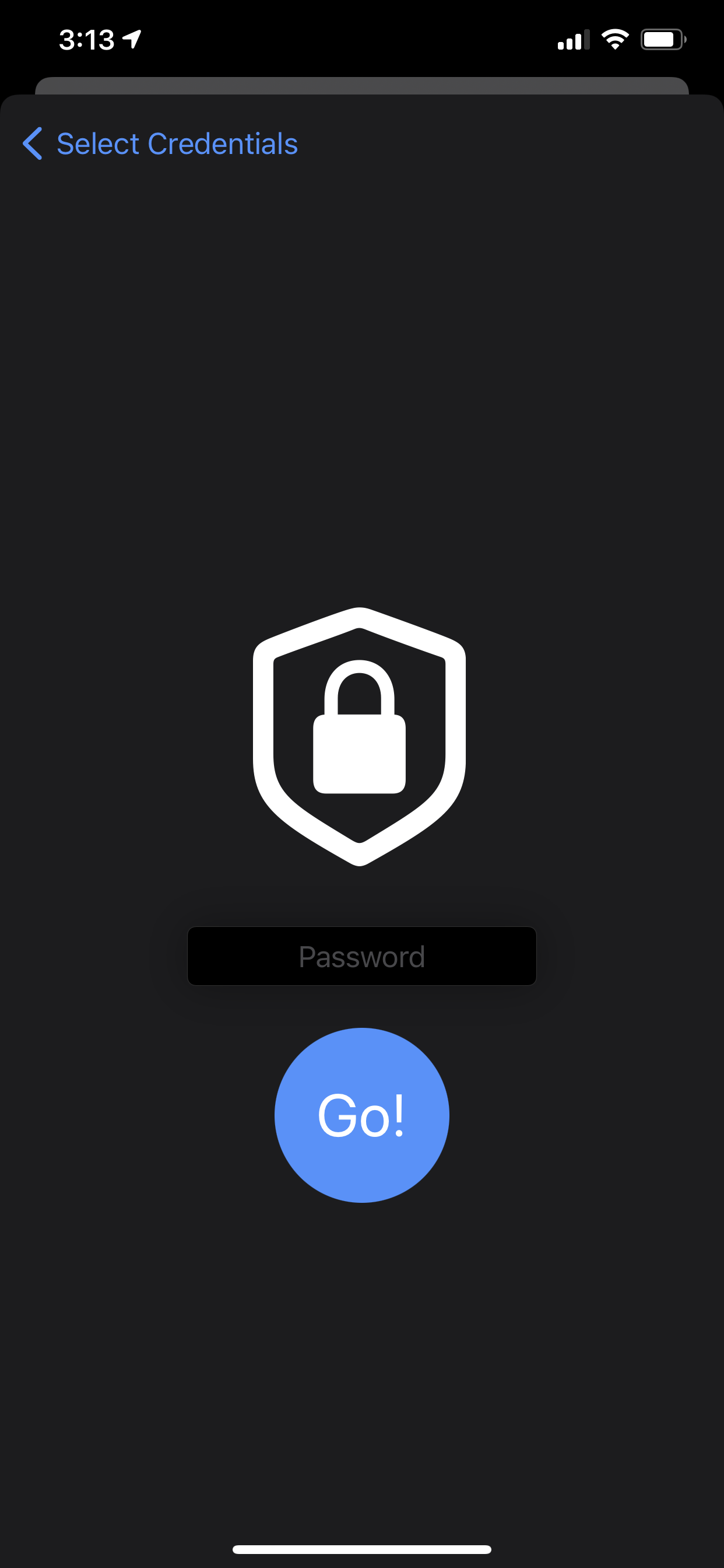
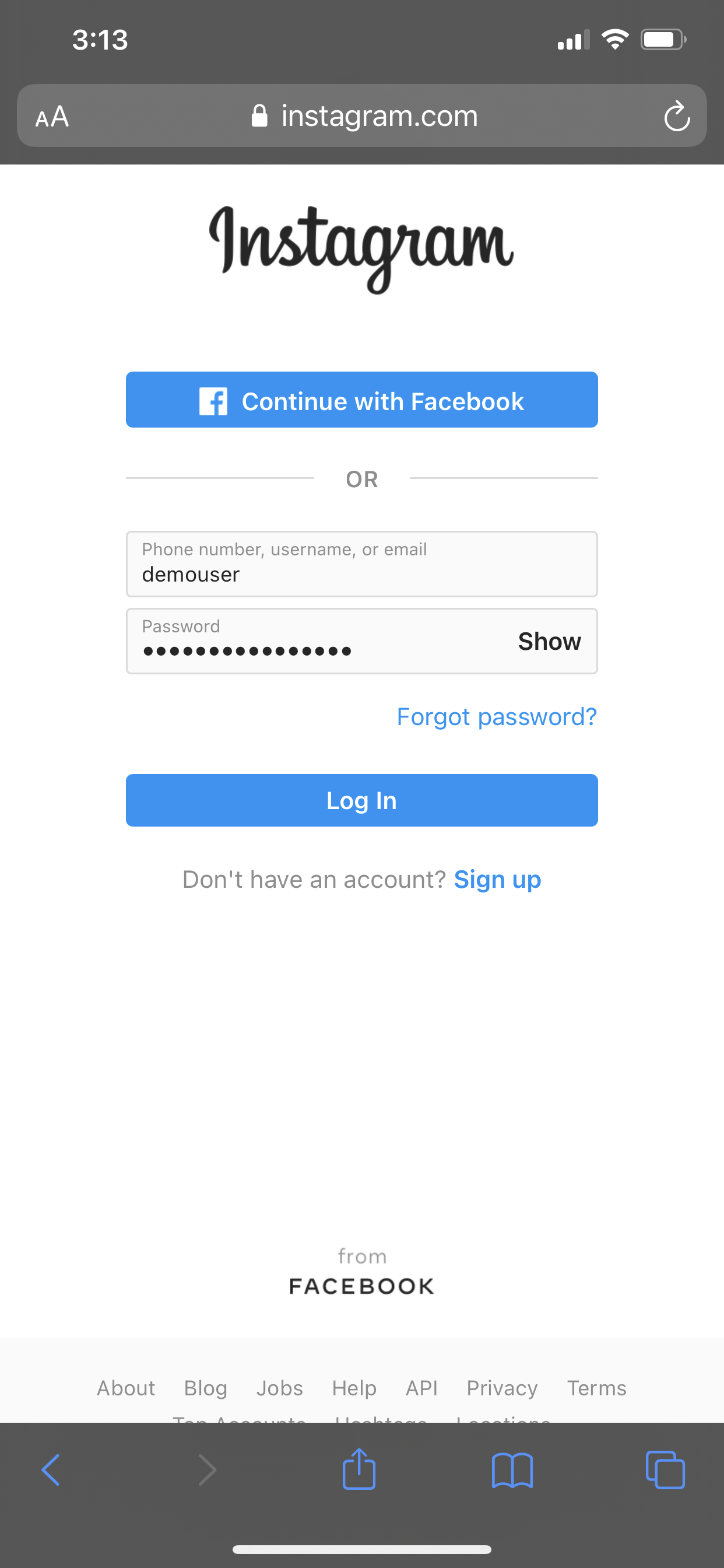
When visiting a site with a logon screen (I’m using Instagram as an example), the Password Auto-fill will appear. Using Logic Lock, select the creditials to use and they will be auto-filled into the logon.
 ⇾
⇾  ⇾
⇾  ⇾
⇾  ⇾
⇾ 
Creating unique strong passwords for all of your accounts could never be easier with Logic Lock! With the ability to rotate and auto-fill your passwords, there is never an excuse to share passwords across accounts and keep your password indefinitely. Improve your security posture with Logic Lock.